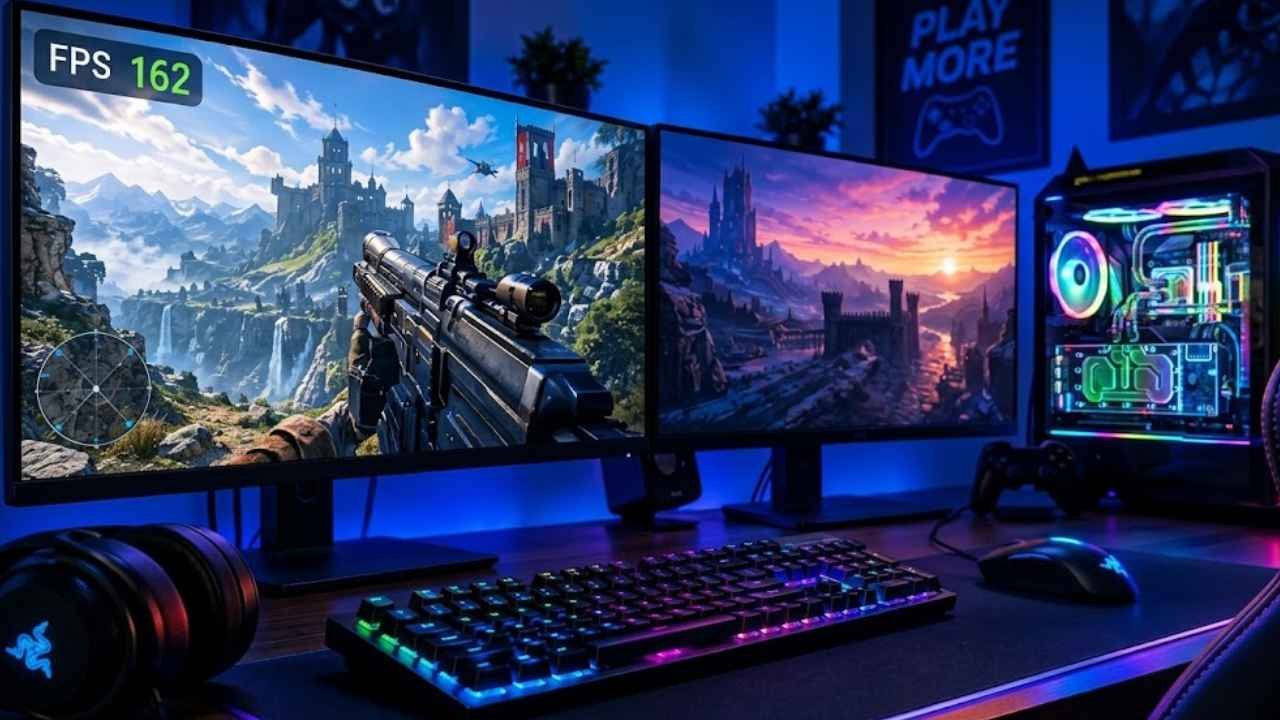
At 30 FPS, a fast-moving character can appear blurry and sluggish. At 144 FPS, that same character moves with razor-sharp clarity. That single number, frames per second, can be the difference between winning and losing a competitive match.
Understanding what is FPS in gaming is one of the most important steps any gamer can take toward better performance, smarter hardware choices, and a more enjoyable experience on screen.
What is FPS in Gaming, Exactly?
FPS stands for frames per second. Every video game works by displaying a rapid sequence of still images, called frames, one after another. When those images change fast enough, your brain reads them as smooth, continuous motion, much like a flipbook animation.
The number of those frames displayed every second is your FPS. A game running at 60 FPS is drawing and showing 60 unique images every second. A game at 30 FPS shows only 30.
“FPS is the single most direct measure of how smoothly a game is running on your system.”
It is worth noting that “FPS” has a second meaning in gaming culture. It also stands for first-person shooter, a genre of games like Call of Duty or Valorant where you view the world through the character’s eyes. Context usually makes it clear which meaning is intended, but both uses are extremely common.
How FPS Affects Gameplay and Visual Smoothness
Frame rate has a direct impact on how a game feels to play, not just how it looks.
At lower frame rates:
- Motion looks choppy or stuttery
- Fast-moving objects appear blurry
- Input response feels delayed or sluggish
At higher frame rates:
- Motion is fluid and sharp
- Aiming and movement feel more precise
- The game reacts faster to your controller or mouse inputs
This responsiveness matters enormously in competitive gaming. When a player fires at a moving target, higher FPS means the game registers that action more quickly. Even a fraction of a second can decide the outcome of a match.
Common FPS Targets in Modern Gaming
| FPS Level | Experience | Typical Use Case |
|---|---|---|
| 30 FPS | Playable, console standard | Story games, older hardware |
| 60 FPS | Smooth, widely accepted | Most PC and console gaming |
| 120 FPS | Very smooth, responsive | Competitive play, next-gen consoles |
| 144+ FPS | Ultra-smooth, competitive edge | Esports, high-refresh monitors |
Most casual gamers are satisfied at 60 FPS. Competitive players and esports professionals often target 144 FPS or higher to gain every possible advantage.
FPS vs Hz: Understanding the Difference
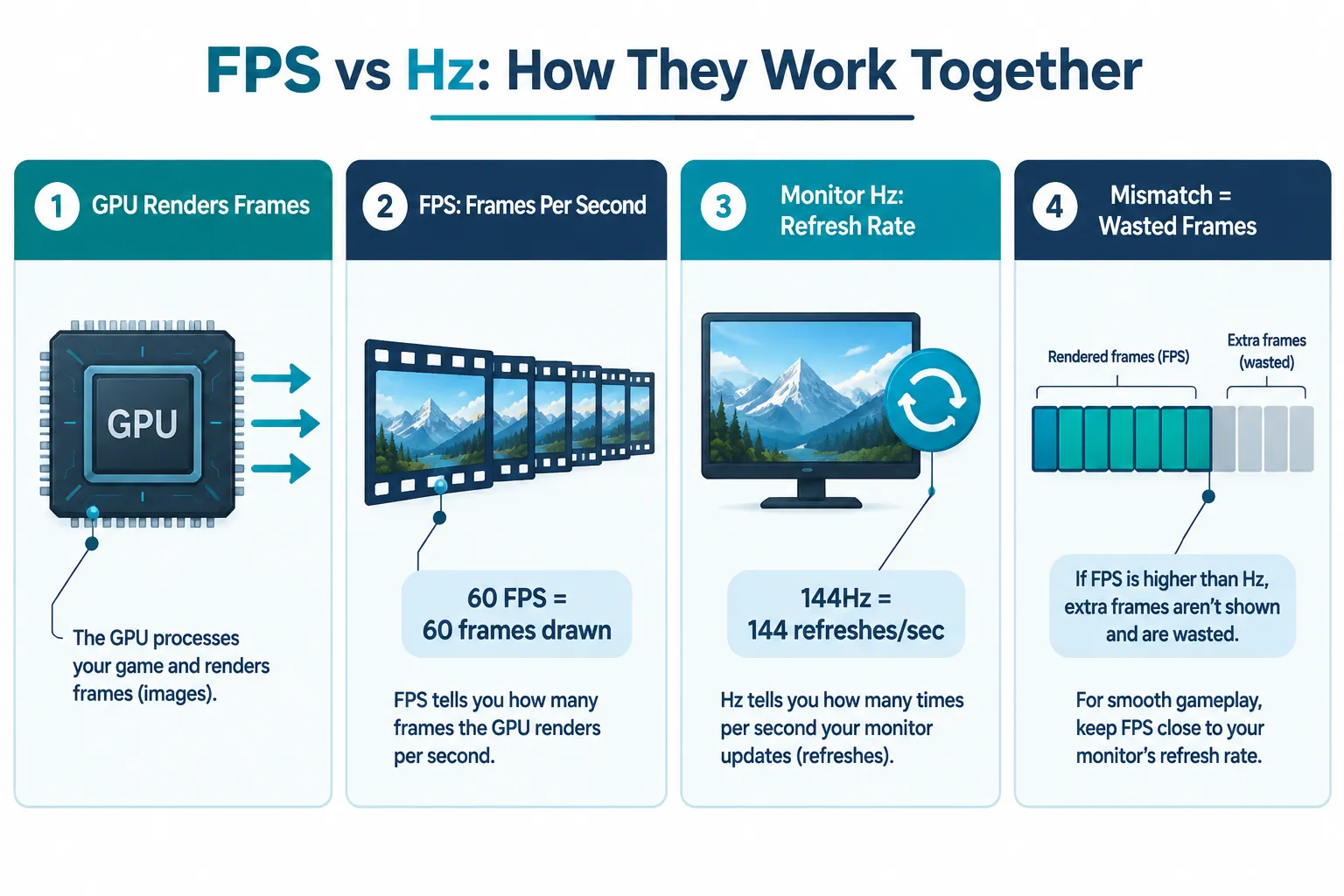
FPS and Hz are closely related but they are not the same thing.
- FPS is how many frames your GPU (graphics card) produces each second.
- Hz (Hertz) is how many times your monitor refreshes its image each second.
Think of it this way: your GPU is a chef cooking plates of food (frames), and your monitor is a waiter delivering them to the table. If the chef cooks 144 plates per second but the waiter can only carry 60 per second, 84 plates go to waste. You only ever receive 60.
This is why a 60Hz monitor cannot display more than 60 FPS visually, no matter how powerful your GPU is. The monitor physically cannot refresh fast enough to show those extra frames.
Key rule: Your effective visual FPS is always limited by whichever is lower, your rendered FPS or your monitor’s Hz.
This is why modern gaming hardware manufacturers consistently push players to pair high-FPS capable GPUs with high-refresh-rate monitors. A 144Hz or 240Hz display unlocks the full benefit of a powerful graphics card.
What Controls Your FPS?
Your FPS is not a fixed number. It changes constantly based on what is happening in the game. Several factors influence it:
- GPU power, The graphics card does most of the rendering work. A stronger GPU produces more frames.
- CPU speed, The processor handles game logic, physics, and AI. A slow CPU can bottleneck FPS even with a great GPU.
- Game settings, Higher resolution, shadows, and texture quality demand more from your hardware, reducing FPS.
- Game optimization, Some games are better coded than others. A well-optimized game runs smoother at the same settings.
How FPS Is Measured
Most PC games display FPS through a built-in counter or via third-party tools like MSI Afterburner or the Steam overlay. The number shown is typically a real-time average, often updated every second. Players also look at 1% lows, the worst frames in a sample, because sudden drops below the average cause visible stutters.
Why FPS Matters for Competitive and Casual Gamers Alike
For casual gamers, a stable 60 FPS means a comfortable, stutter-free experience in story-driven or slower-paced games.
For competitive and esports players, higher FPS is a genuine performance tool. Faster frame delivery means lower input lag, sharper target tracking, and quicker reaction times. Many professional players use 240Hz monitors and optimize every setting to push FPS as high as possible.
The gaming industry continues to move in one clear direction: higher FPS paired with higher Hz displays. Console manufacturers have added 120 FPS modes to modern hardware. Monitor makers now offer 360Hz and even 500Hz panels for the most demanding players. The trend shows no signs of slowing down in 2026.
Final Thoughts
Understanding what is FPS in gaming gives players a real foundation for making smarter decisions about hardware, settings, and competitive performance. Frame rate is not just a technical number, it directly shapes how smooth, responsive, and enjoyable every gaming session feels.
Actionable next steps:
- Enable an FPS counter in your game or use a free tool like MSI Afterburner to check your current frame rate.
- If FPS is consistently below 60, lower in-game graphics settings or consider a GPU upgrade.
- If FPS regularly exceeds your monitor’s Hz, consider upgrading to a 144Hz or higher display to see the full benefit.
- For competitive gaming, prioritize stable, high FPS over maximum visual quality settings.
Small improvements in frame rate can translate directly into better gameplay. Start measuring, then start optimizing.