
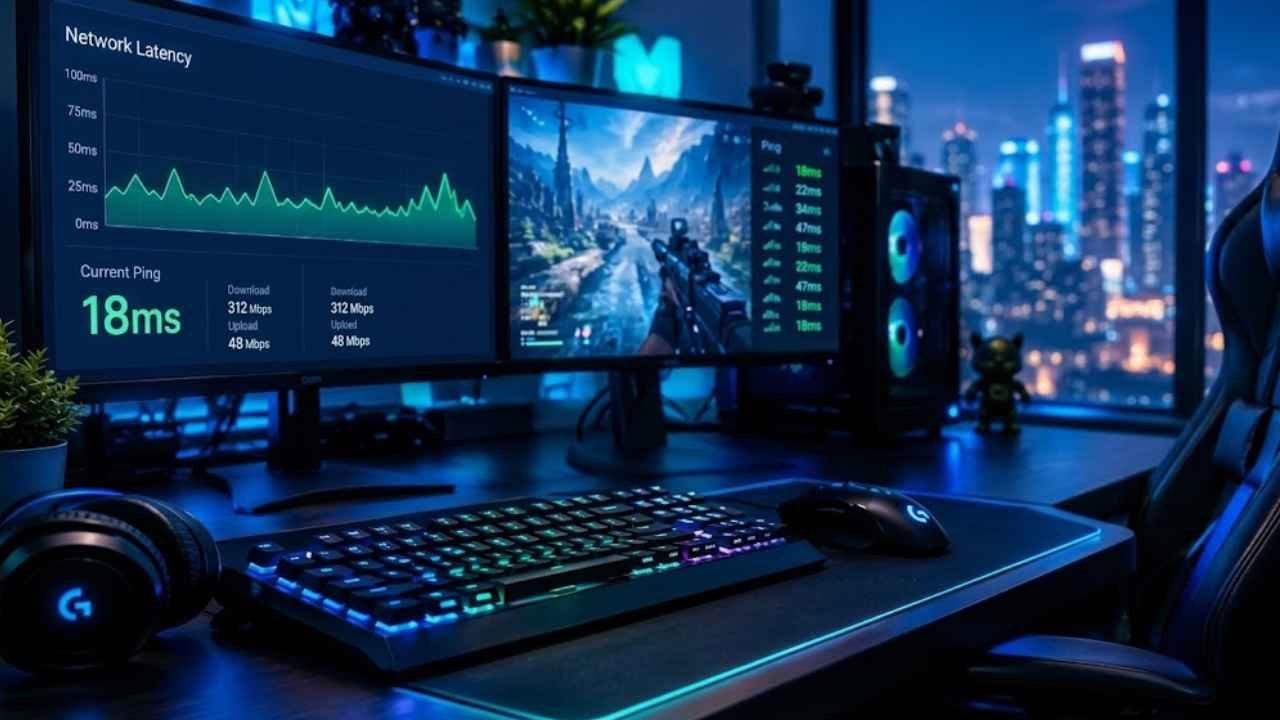
A single millisecond can separate a clean headshot from a missed kill. That is not an exaggeration, in fast-paced competitive games, ping in gaming is one of the most critical performance numbers a player can track.
Yet many gamers still do not fully understand what it means, why it spikes, or how to bring it down.
What Ping in Gaming Actually Means
Ping is a round-trip time measurement. It tracks how long it takes for a small packet of data to leave a device, reach a game server, and return with a response. The result is displayed in milliseconds (ms). The lower the number, the faster that communication happens.
In practical terms, ping equals the gap between pressing a button and seeing the result on screen. When a player fires a weapon, moves a character, or activates an ability, that action is sent to the server. The server processes it and sends back an update. Ping measures how long that entire loop takes.
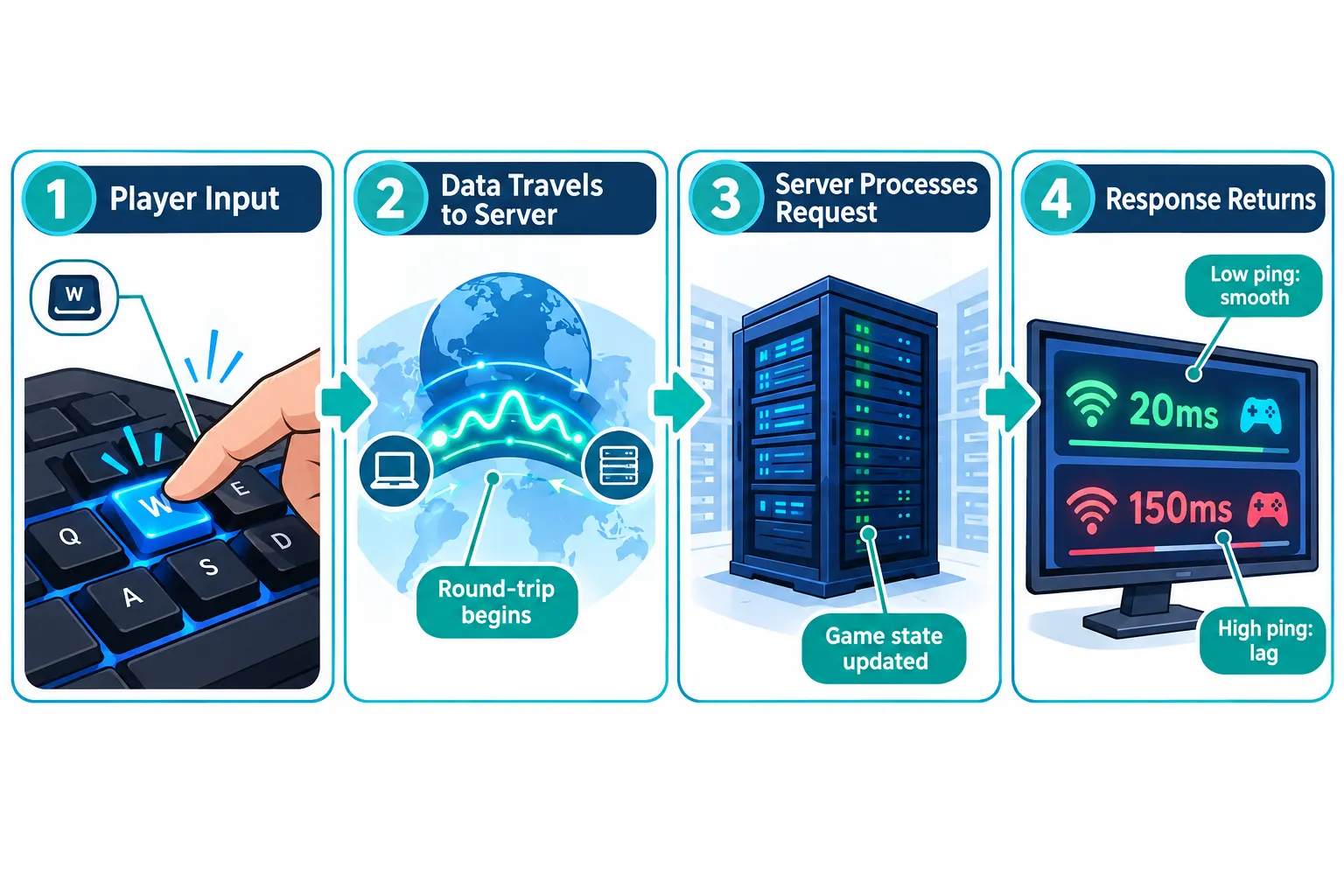
Many players use “ping” and “latency” as interchangeable terms, and in casual conversation that is fine. Technically, ping is the test or operation itself, while latency is the measured delay it produces. For everyday gaming purposes, both words describe the same thing: the responsiveness of a network connection.
What Is a Good Ping for Gaming in 2026?
Not all ping values are equal. Here is a quick breakdown of how different ranges affect gameplay:
| Ping Range | Experience |
|---|---|
| Under 20 ms | Excellent, near-instant response, ideal for competitive esports |
| 20-50 ms | Good, smooth gameplay for most genres |
| 50-100 ms | Acceptable, minor delays in fast-paced games |
| 100-150 ms | Noticeable lag, reactions feel sluggish |
| Above 150 ms | Poor, significant delays, frequent rubber-banding |
The current consensus across ISPs, hardware brands, and gaming platforms is clear: 50 ms or less is the target for smooth general play. Competitive and esports players aim for 15-20 ms, where the connection feels nearly instant.
“Lower ping does not just feel better, it directly affects whether a player’s actions register before or after an opponent’s.”
Why Ping Spikes: The Main Causes
Understanding what drives high ping helps players fix it faster. The most common culprits include:
- Physical distance to the server, the farther away the game server is, the longer data must travel
- Wi-Fi congestion, shared wireless networks introduce interference, packet loss, and unstable routing
- ISP routing inefficiencies, internet providers do not always send data along the shortest path
- Outdated or overloaded hardware, aging routers and modems can create bottlenecks
- Background applications, downloads, streaming, and cloud backups consume bandwidth and raise ping
- Peak usage hours, more users on a network or ISP infrastructure means more competition for bandwidth
Jitter is a related problem worth noting. It refers to inconsistent ping, where latency jumps between 20 ms and 90 ms unpredictably. Jitter often feels worse than a stable high ping because the game cannot compensate for it smoothly.
How to Check Ping in Gaming
Before fixing a problem, it helps to measure it accurately. There are several ways to check ping:
- In-game tools are the most relevant option. Most modern multiplayer games display a live ping counter in the HUD or network settings menu. This shows the actual latency to the game server being used.
- System commands offer a quick network baseline. On Windows, open Command Prompt and type
ping 8.8.8.8to measure round-trip time to Google’s DNS server. On macOS or Linux, the same command works in Terminal. This does not reflect in-game ping exactly, but it reveals general network health. - Third-party tools like dedicated network diagnostic apps can provide more detailed data including jitter, packet loss, and traceroute information.
Proven Ways to Lower Ping in Gaming
These methods are ranked from most to least impactful for the average player:
- Switch to a wired Ethernet connection: Plugging directly into a router with a Cat6 or Cat6a cable eliminates Wi-Fi interference entirely. This is the single biggest improvement most players will ever make. Console players can use Ethernet adapters for devices that lack a built-in port.
- Select the nearest server region: Most games allow players to choose a server region in settings. Picking the closest geographic option reduces the physical distance data must travel and directly lowers ping.
- Close background apps and downloads: Streaming video, cloud syncing, and large downloads all compete for bandwidth. Closing them before a gaming session frees up the connection for game traffic.
- Enable Quality of Service (QoS) on the router: QoS settings tell the router to prioritize gaming traffic over other devices and applications on the network. Many modern routers include this feature in their admin panel.
- Update network drivers and router firmware: Outdated drivers and firmware can introduce inefficiencies. Keeping both current ensures the hardware performs as intended.
- Switch to a faster DNS provider: Changing DNS settings to providers like 1.1.1.1 (Cloudflare) or 8.8.8.8 (Google) can improve routing speed and reduce lookup delays, sometimes shaving 10-20 ms off connection times.
- Use hardware-level latency reduction tools: Technologies like NVIDIA Reflex and AMD Anti-Lag reduce the input-to-display delay on the system side. AMD Anti-Lag 2, when properly configured in supported games, has been shown to reduce overall latency by up to 37%, giving competitive players a measurable edge.
Final Thoughts
Ping in gaming is not just a number on a scoreboard, it is a direct measure of how responsive a connection feels during play. A high ping turns smooth gameplay into a frustrating experience. A low, stable ping keeps actions feeling immediate and accurate.
The good news is that most players have more control over their ping than they realize. Start with the fundamentals: plug in an Ethernet cable, choose the nearest server, and close bandwidth-heavy background apps. From there, explore router QoS settings, DNS optimization, and hardware-level tools like NVIDIA Reflex or AMD Anti-Lag.
Measure ping before and after each change to track real improvements. Small, consistent optimizations add up fast, and in competitive gaming, every millisecond counts.