
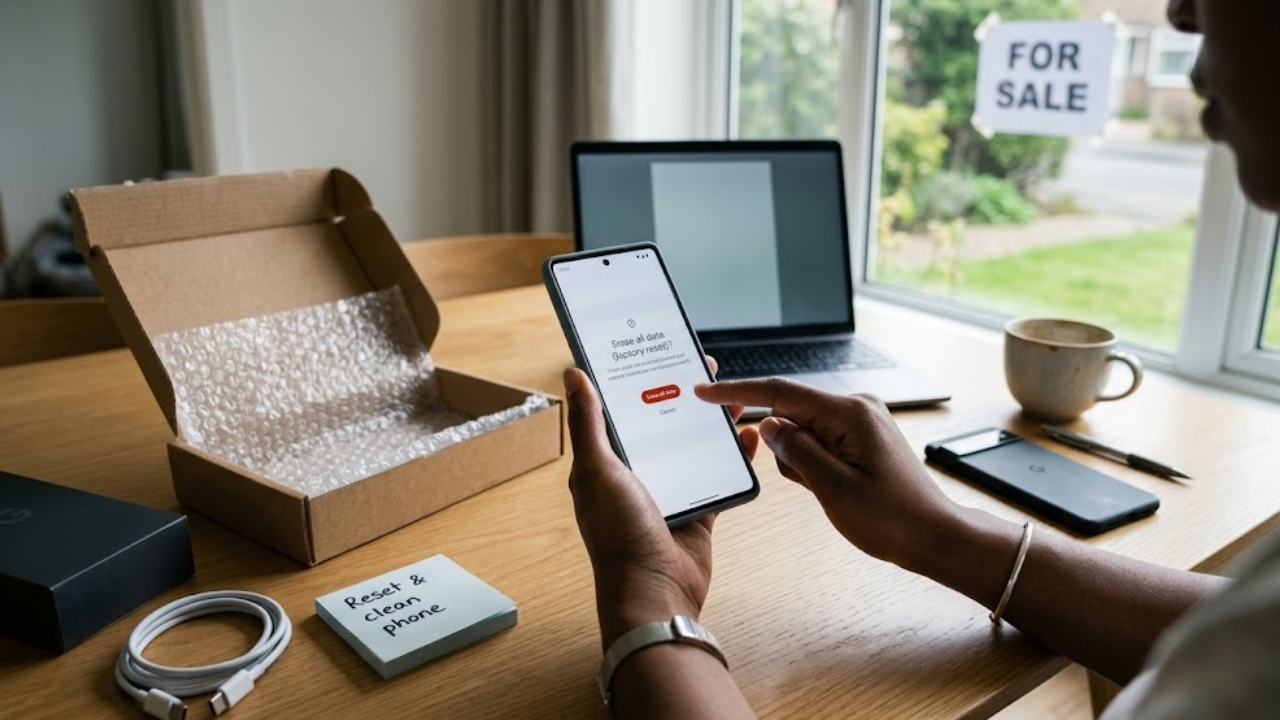
I recently bought a new phone and decided to flip my old one for extra cash. The used smartphone market is absolutely massive right now. Recent industry data shows the global refurbished and used mobile phone market hit a staggering $42.3 billion in 2025 and is projected to clear $51.8 billion by the end of 2026. We are talking about more than 315 million used phones shipping globally every single year.
That means a ridiculous amount of hardware changes hands every day. But you cannot just hand over your device with your life still sitting on the hard drive. Your phone holds your banking passwords, private messages, and years of photos. Simply dragging your apps to the trash does not actually delete the files. If you want to protect your privacy and ensure the buyer actually gets a working device, you need to know exactly how to factory reset Android before selling it.
Let’s cut the technical jargon. Here is a dead-simple, step-by-step guide to backing up your data, deleting hidden eSIMs, dodging advanced anti-theft locks, and wiping your phone completely clean.
Why You Must Factory Reset Android Before Selling?
When you sell a smartphone, you basically hand a stranger your digital identity. If you skip a full system wipe, you leave yourself wide open to identity theft. Manually deleting photos or uninstalling an app does not destroy the data instantly. It just tells the phone that a specific storage space is empty now. Until your phone writes a brand-new file over that exact spot, anyone with cheap recovery software can pull your deleted photos right back up.
A complete system wipe scrambles the encryption keys entirely. It turns your leftover data into unreadable gibberish. Doing this right also saves you a massive headache on the business side of things. If you wipe the phone the wrong way, you trigger Android’s security alarms. The phone locks down completely. The buyer will demand an immediate refund, and you get stuck paying for return shipping while holding a phone you cannot even unlock. Knowing how to factory reset Android before selling guarantees a clean break.
| Consequence of Skipping a Wipe | What It Actually Means for You |
| Privacy Breach | Creeps can recover your personal texts and bank details. |
| Account Lockouts | The buyer cannot use the phone without your Google password. |
| Lost Cash | Buyers return locked phones, costing you time and money. |
Back Up Your Files So You Never Lose Them
Before you delete anything, you have to get your data off the old hardware. Once a wipe finishes, your stuff is gone for good. I stick to a simple rule: use the cloud for small stuff and a physical cable for heavy files. Open your Settings, tap “Google,” and hit “Backup.” Google One saves your contacts, text messages, and app settings directly to your cloud drive. Just double-check that the screen says it finished syncing today before you move on.
If you have massive 4K videos or huge photo albums, cloud uploads take forever and chew through your data cap. Grab a fast USB-C cable and plug your phone straight into your laptop. Copy your “DCIM” folder, which holds your camera photos, and your “Downloads” folder directly to your hard drive. You also need to check third-party messaging apps like WhatsApp or Telegram. They often hide saved images and videos in their own custom local folders, which the standard Google backup might miss entirely.
| Backup Type | Best Used For | How to Do It |
| Cloud Backup | Contacts, texts, settings | Settings > Google > Backup |
| USB Transfer | Big videos, huge photo libraries | Plug phone into PC, copy folders |
| Brand Tools | Moving to the same brand | Use Samsung Smart Switch or Google Data Transfer |
Move Your Two-Factor Security Apps
Think about exactly how you log into your email or bank accounts. Millions of us use apps like Google Authenticator, Duo Mobile, or Authy for two-factor authentication. If you wipe your phone without moving these specific codes to your new device first, you instantly lock yourself out of your own accounts. Google Authenticator makes transferring these codes incredibly easy. Open the app on your old phone, hit the top menu, and tap “Transfer accounts.” Select “Export.”
The screen will pop up a massive QR code. Open the app on your new phone, scan that code, and your security keys jump over immediately. Authy uses a cloud backup system instead. You just need to make sure your “Multi-Device” sync switch is toggled on inside the settings menu before you wipe the old phone. Dealing with a locked cryptocurrency wallet or a blocked email inbox because you forgot your authenticator app is a total nightmare. Handle this before touching the reset button.
| 2FA App Name | How to Transfer Codes Safely |
| Google Authenticator | Use the built-in QR code export tool in the settings menu. |
| Authy | Enable “Multi-Device” sync and log in on the new phone. |
| Microsoft Authenticator | Turn on cloud backup and restore via your Microsoft account. |
Erase Your Physical and Digital SIM Cards
People always ask me how to factory reset Android Phone before selling without accidentally losing their actual phone number. You just need to manage your physical and digital SIM cards properly. If you use a physical SIM card, grab a paperclip or a dedicated SIM ejector tool. Pop the tray out of the side of the phone, take the tiny plastic card out, and push the empty tray back in. If you have a MicroSD memory card in that same tray, pull that out too. A factory reset usually ignores external memory cards completely.
However, if you use an eSIM—a digital cellular profile downloaded directly to the phone’s motherboard—things get slightly trickier. During a factory reset, most modern phones show a small checkbox asking if you want to erase downloaded eSIMs. You must check that box. If you leave your digital profile active on the device, the new owner might accidentally hijack your phone number or chew through your data plan.
| SIM Type | What You Need to Do |
| Physical SIM | Pop it out with an ejector tool and keep it in a safe place. |
| MicroSD Card | Take it out physically. Wiping the phone will not erase it. |
| eSIM Profile | Check the “Erase downloaded eSIMs” box during the reset process. |
Dodge the Factory Reset Protection Trap
The biggest rookie mistake you can make is triggering Android’s anti-theft system, called Factory Reset Protection. Google built this software feature to stop thieves from wiping stolen phones from the boot menu and selling them. If you wipe your phone using the physical volume and power buttons without signing out first, the software locks down. The phone refuses to start up until someone enters your exact Google email and password. Starting with Android 15 and 16, Google made this system even more aggressive.
If the system detects an unauthorized wipe, it forces a second factory reset and absolutely refuses to boot until the original credentials are provided. Furthermore, Android 16 patched out all the old accessibility exploits people used to bypass this screen. The system cannot tell you are a legitimate seller. If you wipe the phone without signing out, you lock out your buyer permanently. Manually remove your accounts in the settings menu before you wipe the drive.
| FRP Fact | What You Need to Know |
| The Trigger | Wiping the phone via hardware buttons without signing out first. |
| Android 16 Update | Google blocked traditional bypass methods, making the lock permanent. |
| The Lockout | Changing your password right before resetting locks the device for days. |
| The Fix | Manually remove all Google accounts in Settings before wiping. |
Sign Out of Every Online Hardware Account
Even after you scrub the physical hardware, your old phone still lives in the cloud as a trusted device. You need to cut those digital ties immediately. If you leave the old phone attached to your Google account, it might still catch two-factor login prompts over a Wi-Fi network. You definitely do not want a stranger getting a pop-up asking to approve your Gmail login. Log into your Google account on a laptop or desktop computer.
Go to the “Security” tab and click “Your devices.” Find your old phone on the list and hit “Sign out.” You should also check your specific brand accounts. If you own a Samsung, log into your Samsung account online and remove the old phone from your active hardware list. Doing this ensures the device completely detaches from your personal cloud backups, keeping your data entirely separated from the new owner.
| Account Type | Where to Remove It | Why You Must Do It |
| Google Account | Security settings > Your devices | Stops 2FA login prompts from going to the old phone. |
| Google Play Store | Play Store settings > Devices | Keeps your app install menu clean for your new phone. |
| Brand Accounts | Samsung, Mi, or OnePlus portals | Detaches the phone from your personal cloud backups. |
The Step-by-Step Device Wipe Process
Your data is totally safe, and your accounts are gone. Now we actually wipe the drive. Keep your phone plugged into a wall charger during this step. If the battery dies while the phone deletes its operating system files, you will permanently break the device. We will execute the exact steps to factory reset Android before selling depending on your brand, and we always do this from inside the settings app. For a Google Pixel or Motorola, open Settings, scroll down to “System,” tap “Reset options,” and select “Erase all data.”
For a Samsung Galaxy, open Settings, find “General management,” tap “Reset,” and choose “Factory data reset.” Scroll to the very bottom and hit the reset button. For OnePlus and Xiaomi phones, check under “Additional settings” or “About phone.” Once you hit the final erase button, the screen goes black. The process takes five to ten minutes. Do not press any buttons, just let the phone do its thing.
| Phone Brand | Navigation Path to Wipe Data |
| Google Pixel / Motorola | Settings > System > Reset options > Erase all data |
| Samsung Galaxy | Settings > General management > Reset > Factory data reset |
| OnePlus / OPPO | Settings > System settings > Back up and reset > Reset phone |
| Xiaomi / POCO | Settings > About phone > Factory reset > Erase all data |
Check the Hardware Before You Ship It
Do not just throw the phone in a shipping box the second the screen goes black. You need to wait for it to reboot to verify the software wipe actually worked. It should land on the standard “Hello” or “Welcome” setup screen. Tap the start button and try to skip the Wi-Fi connection step. If the phone lets you reach the home screen without asking for your old email address, you successfully bypassed the anti-theft locks. Turn it off completely.
Now, grab a microfiber cloth. Wipe down the screen and camera lenses to remove fingerprints. Use a dry, soft-bristled toothbrush to lightly clean lint out of the charging port and speaker grills. A clean phone looks much better in photos, gets you higher resale value, and ensures you receive top-tier seller reviews from the buyer. Taking five minutes to polish the hardware makes a massive difference.
| Inspection Area | What to Look For |
| Software Boot | Ensure the phone stops at the “Welcome” setup screen. |
| FRP Check | Verify the phone does not ask for the previous owner’s email. |
| Hardware Clean | Wipe away screen smudges and clear lint out of the USB-C port. |
Final Thoughts
Prepping your device for a new owner takes a little bit of patience, but it’s entirely worth the effort. The used phone market is booming, and buyers expect a flawless out-of-the-box experience. By backing up your data, deleting your eSIM profiles, and manually stripping away your Google accounts, you guarantee a smooth transaction.
Taking the extra time to properly factory reset Android before selling gives you total peace of mind. You know for a fact that your banking details, private photos, and text messages are gone forever. Never rush the process, follow the steps in order, and you’ll never have to deal with an angry buyer demanding a refund over a locked phone.
Frequently Asked Questions (FAQs)
Does a factory reset delete everything on the SD card?
No, it rarely does. The factory data reset targets the internal storage chip soldered to the motherboard. Anything on external storage stays put unless you manually select an option to “Erase SD Card” in the storage settings. The safest route is simply removing the card and keeping it.
What happens if I use the volume buttons to wipe the phone?
If you boot into recovery mode and wipe the device using the physical buttons, you immediately trigger Google’s Factory Reset Protection (FRP). The phone locks up, and the buyer won’t be able to use it unless you give them your password (don’t do this) or they mail it back to you. Always use the settings menu inside the phone.
Why is my phone stuck on a multi-day lockout?
If you change your Google account password and then immediately wipe your phone, Google flags the behavior as highly suspicious. To stop thieves from changing passwords and selling stolen goods, the system locks the hardware for 24 to 72 hours. You just have to wait the timer out.