Three years ago, a single eight-second clip of believable AI footage felt like a magic trick. In late 2026, a top-ranked model can produce a 30-second shot with native sound for roughly the cost of a coffee. The surprise is what happened to the field itself: Sora has dropped out of the active race, while a handful of frontier families now dominate. For creators comparing AI Video Generators, the real question is no longer “does it look real?” but “which tool fits the job, and what does a finished minute actually cost?”
This guide breaks the market into the two workflows that matter, cinematic prompt-to-video and avatar/faceless pipelines, and compares fidelity, motion, audio, speed, and realistic per-second pricing.
Two Workflows Behind Every AI Video Generator
Most confusion about AI Video Generators comes from mixing up two very different pipelines. Picking the wrong lane wastes both credits and hours.
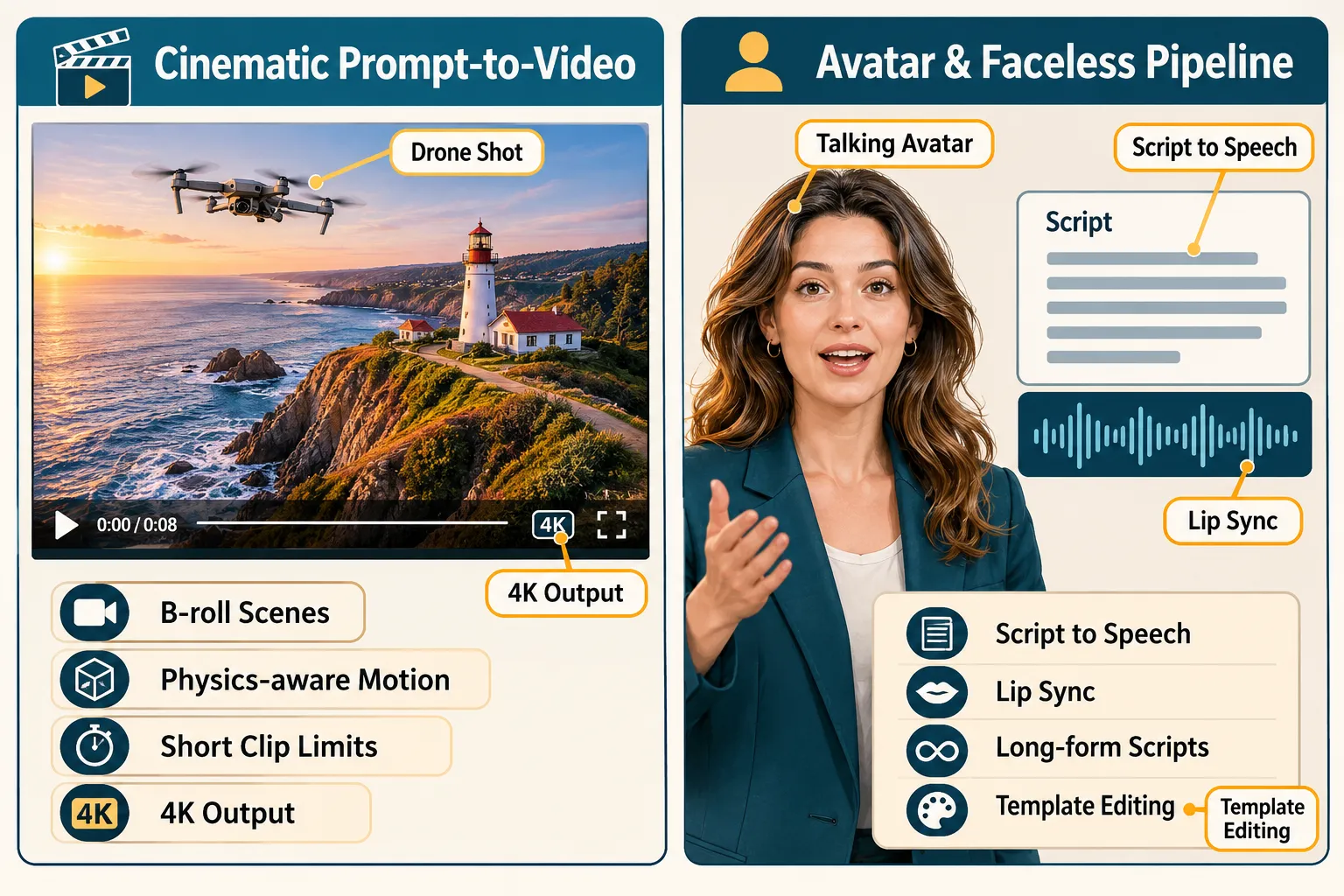
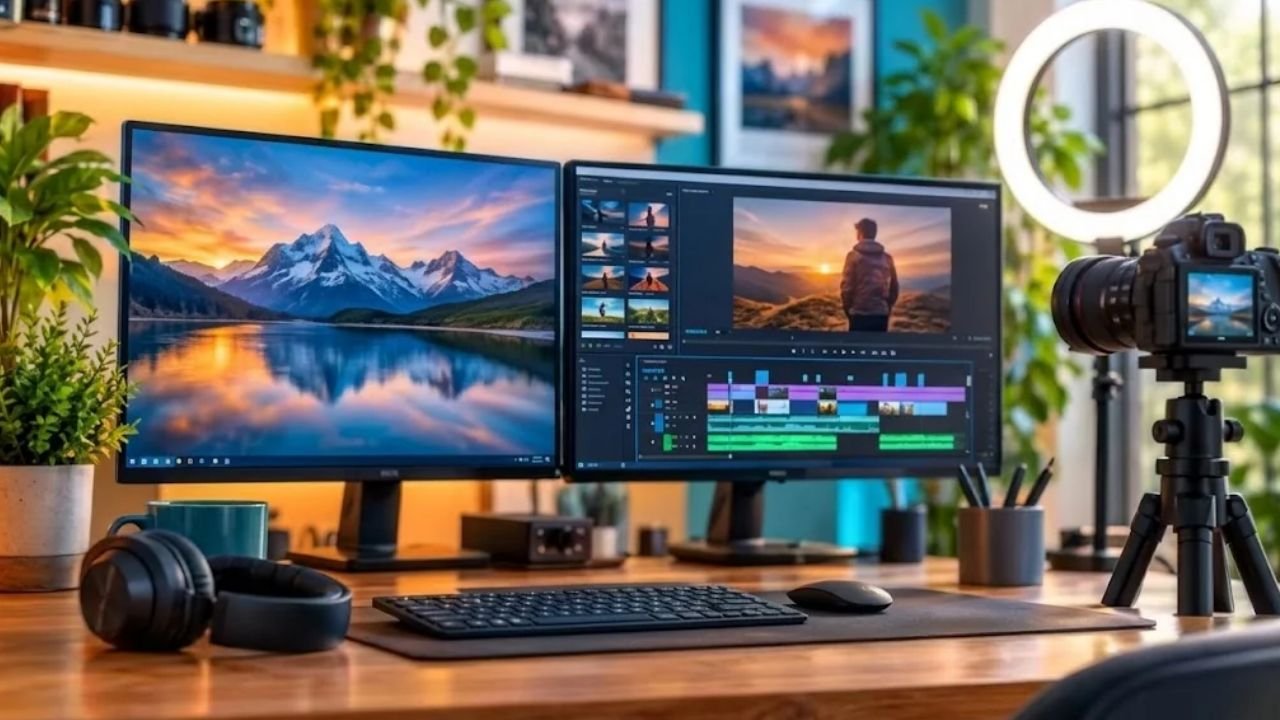
Cinematic prompt-to-video tools, Google Veo, Runway, Kling, Seedance, Wan, Luma, generate short scenes from text or images. They shine at b-roll, stylized visuals, product shots, and dreamlike sequences. Clip length is the hard limit: most cap out between 8 and 30 seconds.
Avatar and faceless pipelines, HeyGen, invideo AI, Synthesia, start with a script. They handle voice, lip sync, captions, stock footage, and structured editing. Output can run many minutes, because the system is assembling a video rather than imagining one.
A simple rule: if your deliverable is a shot, use a cinematic generator. If your deliverable is a video, use an avatar or suite tool.
Many working creators run both. A faceless channel might script in invideo AI, then drop in four Kling-generated b-roll shots to lift production value.
The Frontier Cinematic Models Ranked
As of October 2026, five families lead the frontier: Google Veo 3.1, Runway (Gen-4.5 and Aleph 2.0), Kling 4.0, Seedance 2.5, and Wan 3.0. Here is how they compare for creator work.
| Model | Best For | Clip Length | Native Audio | Notes |
|---|---|---|---|---|
| Wan 3.0 | Top overall benchmark score | Up to 30s | Yes | Fast, affordable, slightly CGI look |
| Kling 4.0 | Long directed shots, camera moves | 3-30s | Limited | 4K, 10 keyframes, 15 reference assets |
| Seedance 2.5 | Photorealism, reference-heavy edits | Short | Varies | Highest cost in class |
| Veo 3.1 | Realistic visuals with sound | 8s | Yes | Daily free tier via Flow |
| Runway Gen-4.5 / Aleph 2.0 | Editing and transforming footage | Short | Partial | Strongest camera motion control |
Visual Fidelity vs Motion Consistency
These two qualities rarely peak in the same tool. Seedance 2.5 delivers the most convincing photorealism frame by frame, but costs the most. Wan 3.0 scores highest overall in blind arena testing yet carries a mild CGI sheen. Kling 4.0 is the dependable 30-second workhorse, motion stays coherent through complex choreography, which matters when a subject walks, turns, or interacts with objects.
Google Veo 3.1 earns praise for realism and integrated audio, but its 8-second ceiling and a 19th-place benchmark finish show how fast the field moved in 2026. It remains one of the easiest entry points because of its free daily generations.
Audio Integration
Sound used to be an afterthought. Now it is a differentiator:
- MiniMax H3, stereo audio on every clip, the pick when the soundtrack carries the piece.
- Hailuo 3.0, strong native audio, though motion can feel game-engine stiff.
- Vidu Q4 Preview, launched October 7, 2026 with native audio through web and API, and the developer actively encourages production use during preview.
- Wan 3.0 and Veo 3.1, reliable built-in sound on generated clips.
Control and Reference Assets
For repeat creators, control beats raw beauty. Kling 4.0’s Omni Reference system blends up to 15 reference assets in one shot. Pika 2.0’s Scene Ingredients lets you upload characters, objects, and settings so the model builds around your material instead of guessing. Seedance 2.5 is the recommendation when a project leans on many reference files or needs a specific moment inside a clip repaired.
If characters must look and sound the same across multiple scenes, Google Gemini Omni Flash is the standout, with native 4K and automatic multi-shot generation for world-building.
Choosing AI Video Generators by Use Case
Use-case matching is more useful than any leaderboard.
- Long, directed single shot with a complex camera move, Kling 4.0
- Transforming or restyling footage you already filmed, Runway Gen-4.5 or Aleph 2.0
- Consistent character faces and voices across scenes, Gemini Omni Flash
- Maximum photorealism, budget allowing, Seedance 2.5
- Fast, cheap volume output for social, Wan 3.0
- Audio-led pieces, MiniMax H3
- Reflections, glass, water surfaces, FLUX 3
- Longer-form creative video up to about an hour, Syren
- Animating existing photos into cinematic clips, XImagineAI’s image-to-video mode
One warning worth repeating from recent reviews: Luma Ray3.2 draws criticism for interface friction and weaker visual output compared to its peers. Test before committing a project to it.
For small businesses and social teams without prompt expertise, template-driven kits help. Vmake Labs’ Halloween 2026 toolkit, for example, bundles UGC-style product formats and templates so a product photo becomes a seasonal video in minutes.
Best AI Video Generators for Avatars and Faceless Content
Talking-head video remains one of the largest creator segments, and the scoring here is clearer than in the cinematic lane.
HeyGen ranks first at 9.2/10 in 2026 comparisons. Its Avatar V system holds identity and lip sync steady across long scripts, the exact failure point that ruins most avatar videos past the 60-second mark. Seedance 2.5 places second at 8.2/10; it loses on avatar continuity but wins on lifelike body motion, so it suits creators who care more about movement than a persistent presenter.
Beyond pure avatars, the suite tools cover structured production:
- invideo AI, from about $10 per seat per month; script-to-video for social and explainer content.
- Synthesia, starter plans around $14 per month; corporate-friendly avatar training and localization.
- Vyond, plans from about $58 per month after a watermarked trial; animated explainers.
- LTX Studio, extreme creative control across full timelines, closer to a storyboard-first film tool.
- Adobe Firefly, commercially safe outputs for creators who need clean legal reuse rights.
What AI Video Generators Really Cost Per Minute
Cost per second has become the metric serious creators track, because a 10-minute faceless video built entirely from generated clips can swing from affordable to absurd.
Current benchmarks sit in a band of roughly $0.03 to $0.40 per second:
| Tool / Tier | Approx. Cost Per Second | Resolution | Cost Per Finished Minute |
|---|---|---|---|
| HeyGen Video | ~$0.03 | 768p with sound | ~$1.80 |
| LTX-2.3 Fast | ~$0.04 | 1080p / 4K | ~$2.40 |
| Veo 3.1 Fast | ~$0.10 | 720p | ~$6.00 |
| Veo 3.1 Standard | up to ~$0.40 | Higher | up to ~$24.00 |
At 1,000 seconds per month, about 16 minutes of finished footage, HeyGen lands near $360 a year and LTX-2.3 Fast near $480. A Veo 3.1 Standard workflow at the same volume costs several times more.
The honest math: generated footage is cheap for accents and expensive for entire videos. Budget it like a VFX line item, not like stock footage.
Three budget habits that help:
- Use free daily tiers for prototyping: Veo’s Flow access and watermarked trials are ideal for testing prompt direction before spending credits.
- Generate at a lower tier first: Lock composition and motion cheaply, then re-render only the winning shots at full quality.
- Count rejects: Most creators discard three to five generations per usable shot. Multiply posted prices accordingly.
A Practical Testing Workflow
Locking into one generator early is the most common mistake. Iterative testing across three to seven models reliably produces better results on high-stakes work.
- Write one benchmark prompt that includes a moving subject, a camera move, and a lighting condition your content needs often.
- Run it on three frontier models, a strong starting trio is Seedance, Veo 3.1, and Kling.
- Score only what matters to you: motion coherence, face consistency, audio usability, render wait time.
- Expand to four more models only if the first three fail on a specific need, such as reflections or stereo sound.
- Document the winner per shot type. Over a few weeks this becomes a personal routing table that saves both credits and guesswork.
Final Thoughts
The 2026 market rewards creators who treat AI Video Generators as a toolkit rather than a subscription. Wan 3.0 leads the benchmarks, Kling 4.0 owns long directed shots, Runway transforms existing footage, Seedance pushes photorealism, and HeyGen remains the standard for avatar continuity. None of them wins every job.